
Let pages restyle themselves: schedule + site rules
The previous pages were about dialling in a look by hand. This one is about letting it run on its own — which is how eye-care setups actually work in…
The previous pages were about dialling in a look by hand. This one is about letting it run on its own — which is how eye-care setups actually work in practice: you should not have to remember that 18:00 is the moment to switch.
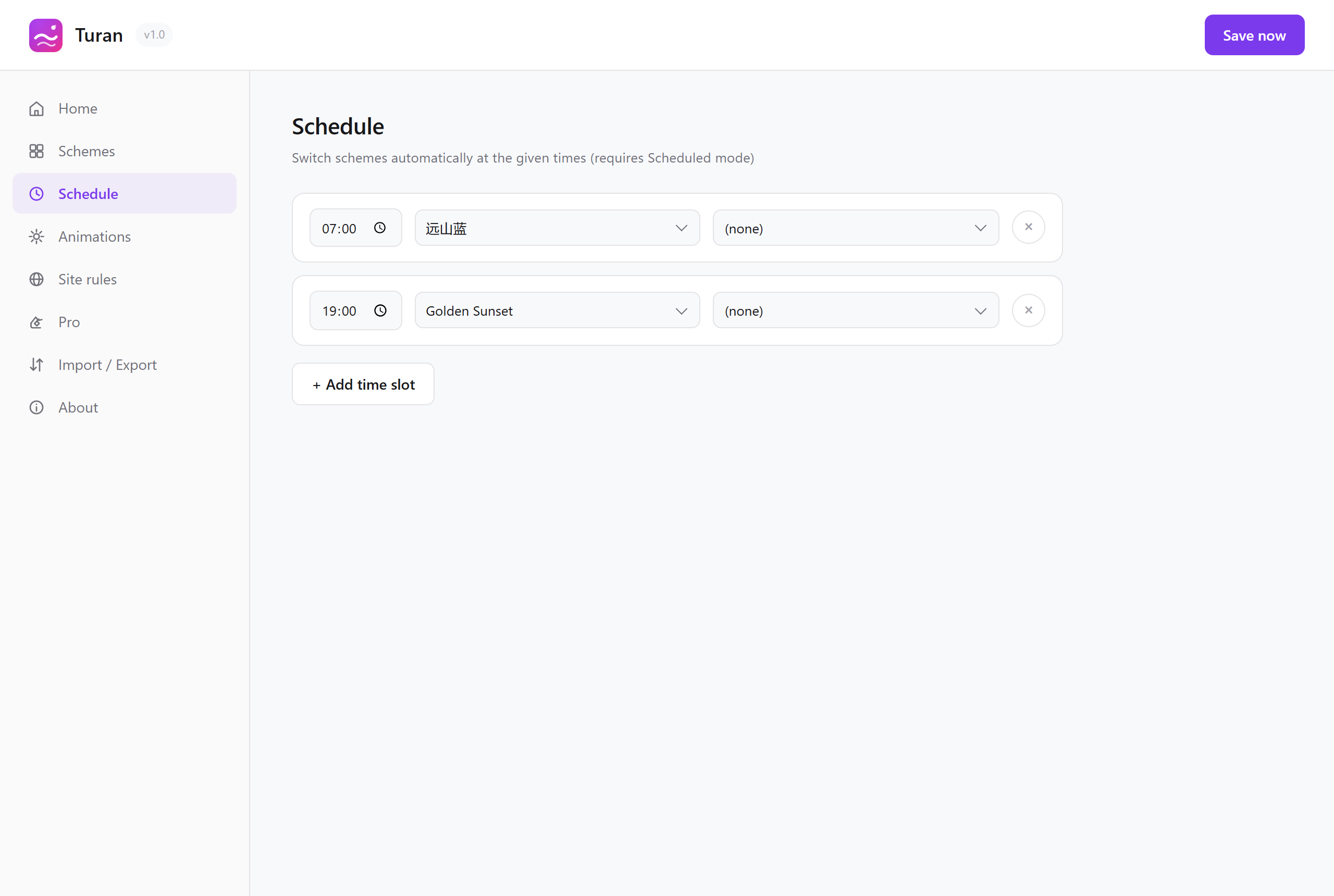
1. Scheduled switching
Split the day into slots, give each slot a scheme, and Turan switches when the clock reaches it.
Already configured out of the box
Install Turan and it starts in Scheduled mode:
| Time | Scheme |
|---|---|
| 06:00 | Green Field Warm Sun (daytime) |
| 18:00 | Dawn Eye Care (night) |
You do not need to configure anything; day and night are two different schemes from the start.
Changing it
- Toolbar icon → Detailed settings
- Schedule tab → Add slot
- Enter a time and pick a scheme
The Schedule tab
Two details
It will not override your manual choice. A common worry is "I just picked a scheme by hand, will the schedule drag it back?" No: the schedule only switches at the moment a slot boundary is crossed. Within a slot, your manual choice stays.
It catches up after boot and wake from sleep. Slot checks are driven by the browser's alarm mechanism, so Turan does not have to stay in the foreground; close the lid and reopen it, and the scheme is corrected to whatever the current slot calls for.
Mode: Manual or Scheduled
Switch it at the top of the popup:
- Manual: exactly what you picked; schedule rules do not apply
- Scheduled: switches automatically according to the slots above
2. Per-site schemes
A global scheme is the lowest common denominator across every page, and that always involves compromises. For example:
- Reading code on GitHub → you want cool and low-saturation
- Writing email in Gmail → you want a warm paper feel
- Long reads on a forum → you want cool and low-saturation
Per-site schemes let you bind a scheme to an individual site.
Three ways to write a rule
| Form | Example | What it matches |
|---|---|---|
| Exact domain | github.com |
Matches github.com plus subdomains such as www.github.com and gist.github.com |
| Subdomain template | *.example.com |
Matches subdomains only (www., api. …), not the bare domain |
| URL wildcard | https://example.com/* |
Full URL match; must contain * |
The more specific rule wins
*.api.example.com beats *.example.com, and github.com does not beat *.gist.github.com. The longer and more specific the rule, the higher its priority — no manual ordering needed.
Each site can bring its own schedule and effects
A site rule is not only "use this scheme". It can also:
- Carry its own schedule: slots defined for that site alone (say one scheme for weekday daytime, another for the evening)
- Specify animated backgrounds: run one effect on that site only, without touching the global setting
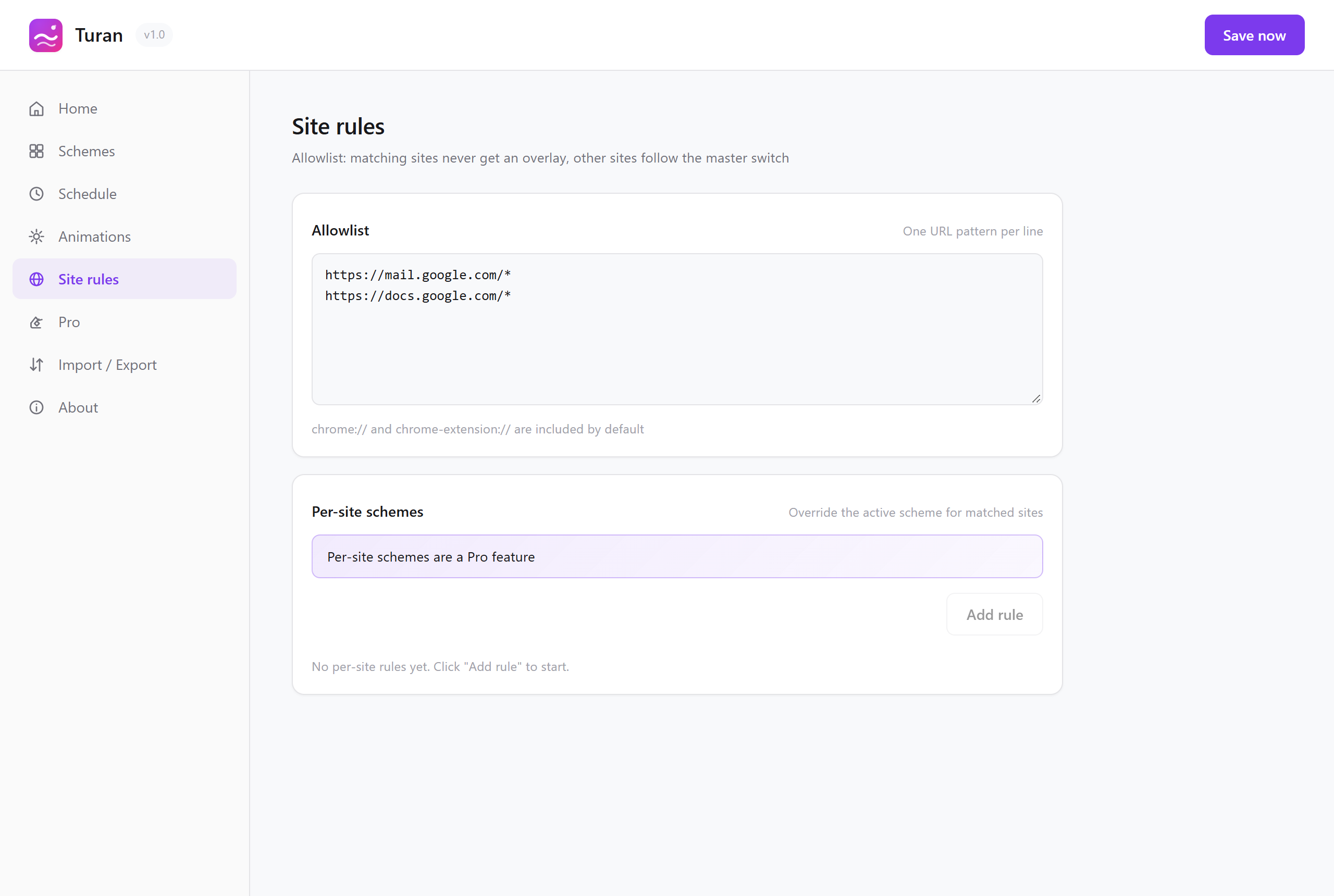 Site rules — per-site schemes
3. Whitelist
Some sites you never want tinted: design mock-ups, image galleries, admin backends, online colour tools. Add them to the whitelist and every matching site gets no effect at all and stays exactly as it is.
- One entry per line,
*wildcards supported chrome://*andchrome-extension://*are included by default- Built-in browser pages (settings, extensions and so on) are never injected into and need no configuration
4. Priority: one diagram to remember it
Whitelist        ← highest: a match means no effect at all
  ↓
Per-site scheme  ← a match wins (and the site may have its own schedule)
  ↓
Schedule rules   ← the scheme for the current slot
  ↓
Global scheme    ← the one you picked by hand in the popup
In short: the more specific, the higher the priority.
Three configurations you can copy
Configuration 1: a standard eye-care day
| Time | Scheme |
|---|---|
| 08:00 | Green Field Warm Sun |
| 12:00 | Sage Mist |
| 18:00 | Honey Dusk |
| 22:00 | Soft Amber Night |
Configuration 2: divided by site
| Rule | Scheme |
|---|---|
github.com |
Misty Veil at 30% |
mail.google.com |
Warm Paper at 40% |
zhihu.com |
Sage Mist at 35% |
| Design mock-ups / image galleries | Add to the whitelist |
Configuration 3: work by day, relax at night
- Global schedule: 08:00 Misty Veil / 20:00 Soft Amber Night
- Site rules: bind your favourite forum to "Warm Paper + grain"
- Whitelist: the company admin backend
Read next