
Feature overview
Everything Turan can do, on one page.
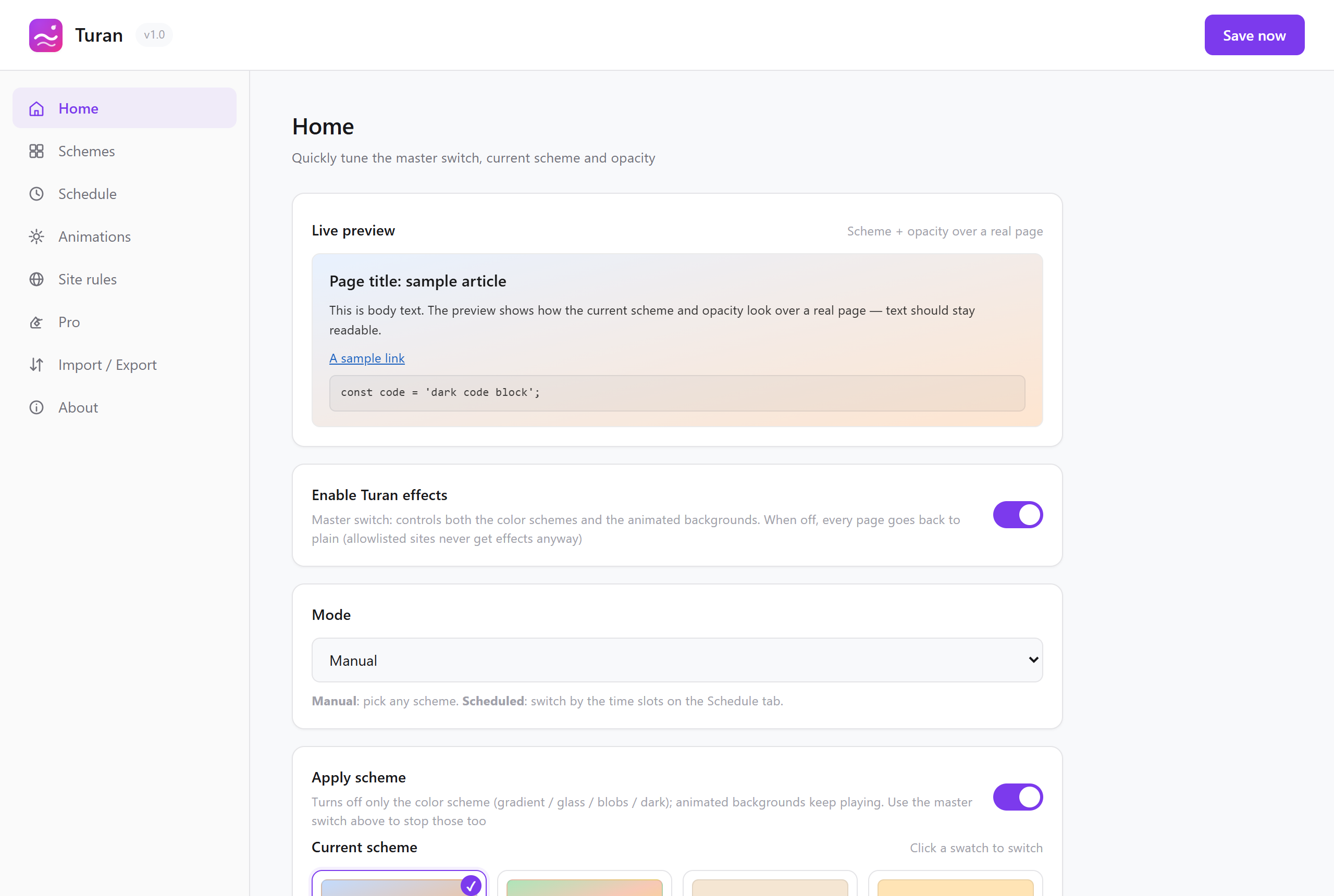
Everything Turan can do, on one page.
The detailed settings page
What is included
| Capability | What it does | Details |
|---|---|---|
| 17 built-in schemes | 7 eye-care / 6 iridescent / 2 high contrast / 2 dark | Schemes → |
| 9 animated backgrounds | stars, meteors, bubbles, snow, rain, fireflies, leaves, fireworks, grain | Animated backgrounds → |
| Scheduled switching | swaps schemes at set times; a day scheme and a night scheme out of the box | Automation → |
| Per-site schemes | binds colours, schedule and effects to one specific site | Automation → |
| Site whitelist | matched sites are left completely untouched | Automation → |
| Custom schemes | gradient type, direction, colour stops and opacity are all adjustable | Customise and import/export → |
| Live preview | shows the composited result inside the settings page | Customise and import/export → |
| Import / export | JSON backups, moving to a new machine, sharing | Customise and import/export → |
| 7 UI languages | follows the browser language automatically | — |
| Privacy first | everything stays local; zero network requests unless you use Pro | Privacy policy → |
Two entry points, half the work each
Toolbar popup: the place you will use most once it is installed. Master switch, mode, scheme picker, opacity slider and animation picker all fit on one screen — no need to open settings.
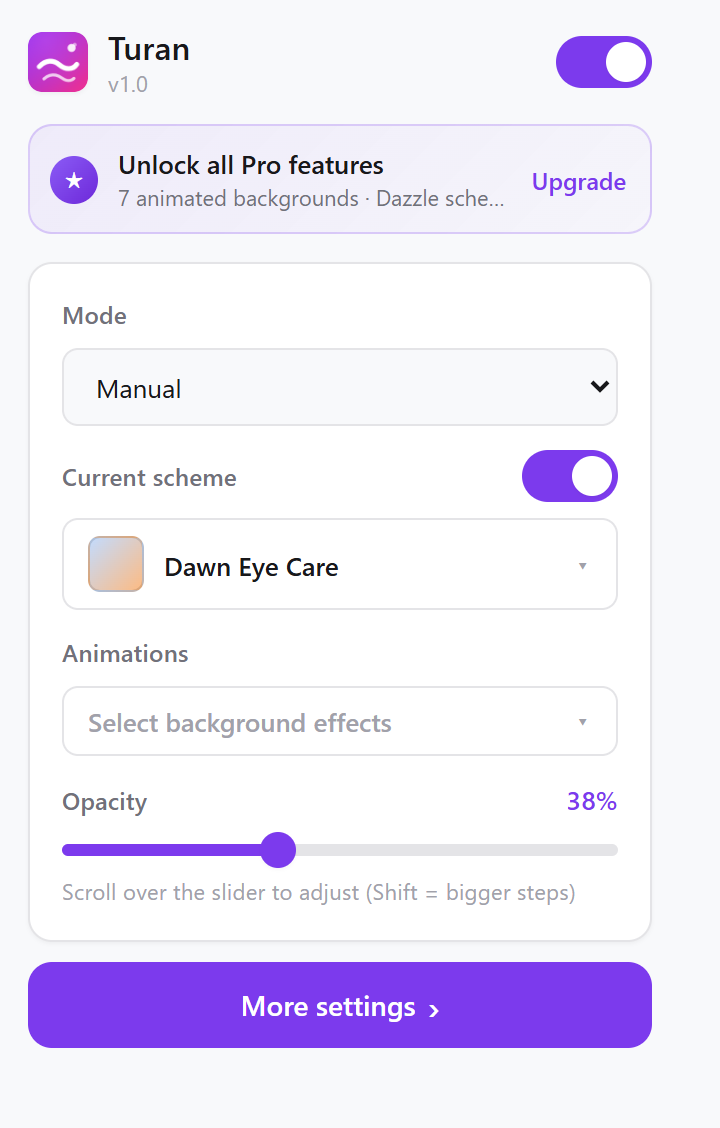 The toolbar popup
Detailed settings page: seven tabs that lay out every detail.
| Tab | What you do there |
|---|---|
| Home | Master switch, current scheme, animated backgrounds, opacity — with live preview |
| Schemes | Browse the 17 built-ins, create / edit / delete custom schemes, restore hidden presets |
| Schedule | Add and edit time slots; switch schemes on a schedule |
| Animations | Toggle each of the 9 effects, tune parameters and colours, with live preview |
| Site rules | Whitelist and per-site schemes |
| Import / export | Export a JSON backup, import a scheme someone shared |
| About | Version, supported languages, privacy policy |
Two levels of switches — do not mix them up
This is the most common confusion, and it disappears once stated clearly:
| Switch | What turning it off does |
|---|---|
| Master switch (top of the popup / top of Home) | Stops the colour scheme and the animated backgrounds together; every page returns to its original look |
| Apply scheme | Removes only the colour layer (gradient / frosted glass / blobs / dark), while the animated backgrounds keep playing |
In other words: you can run no colour at all and still let snow fall across the page.
Defaults after installation
| Item | Default |
|---|---|
| Master switch | On |
| Mode | Scheduled |
| Schedule | 06:00 → Green Field Warm Sun; 18:00 → Dawn Eye Care |
| Opacity | 30% |
| Animated backgrounds | All off (turn on whichever you want) |
| Whitelist | chrome://*, chrome-extension://* |
Read next